Stained Glass OS
A free, open-source operating system that looks and works like Windows 10 — and runs Windows programs. Debian underneath, Wine (with our own patch series) running the whole Windows side, and a shell, Control Panel and apps written from scratch to behave like the real thing.
What it is
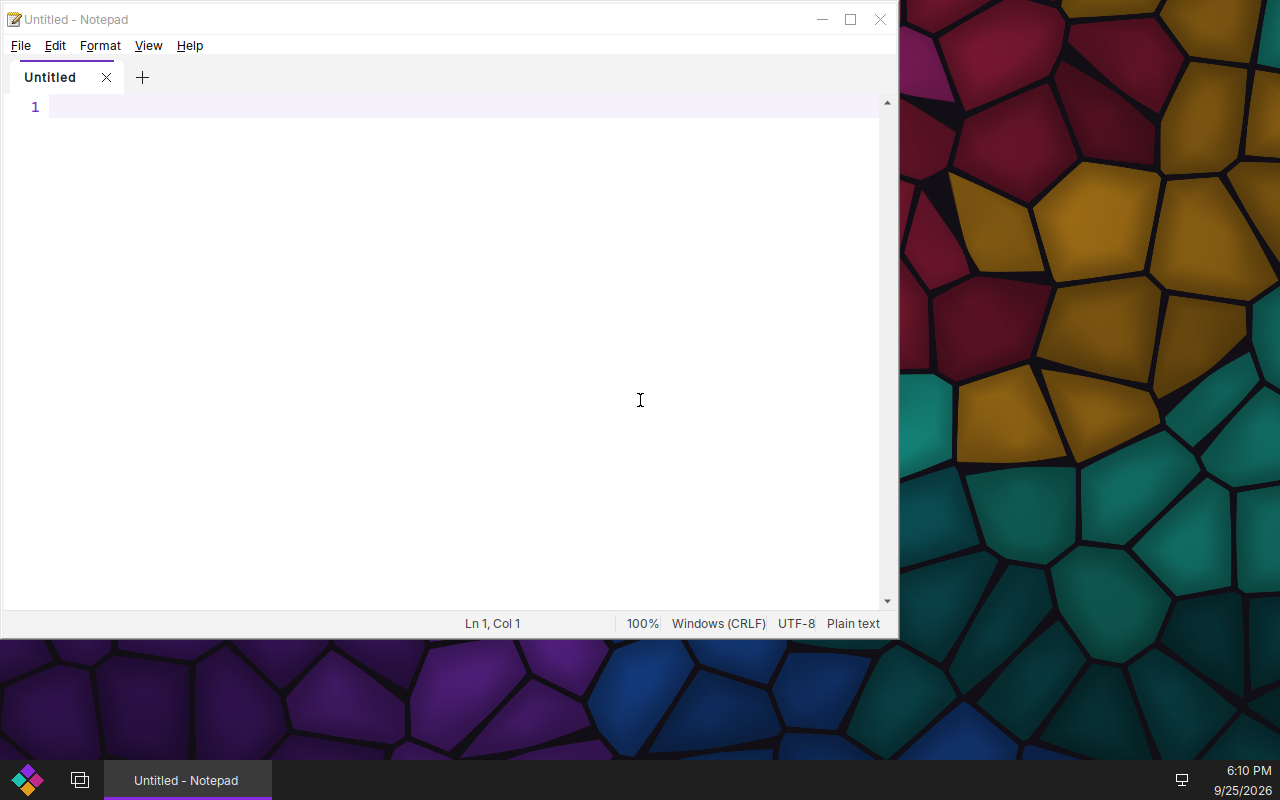
Stained Glass OS is a drop-in replacement for Windows on desktops and managed fleets: the Start menu, taskbar, File Explorer, Control Panel and Settings a Windows user expects, running Windows programs directly — 32- and 64-bit — with multiple users, a real lock screen, domain join, Group Policy and Remote Desktop.
Feels like Windows 10
Start menu, taskbar, virtual desktops and Task View, snap, Win-key shortcuts, File Explorer with search and progress dialogs, Settings (Win+I) and a full Control Panel.
Runs Windows programs
Our Wine build runs 32- and 64-bit programs from one install: Git for Windows, PowerShell 7, Python, .NET Framework apps, installers (MSI, NSIS), winget, and Microsoft Edge when you install it yourself.
The apps you expect
Notepad (a real code editor with tabs and highlighting), Calculator, Paint, Snipping Tool, Photos, Media Player, Task Manager, Terminal, Alarms & Clock, Sticky Notes, Character Map, and the admin tools: Services, Event Viewer, Device Manager, Disk Management.
Voice typing, offline
Win+H dictates into any program, like Windows 10 — using NVIDIA's open Parakeet model, installed with the system and running entirely on your computer. Nothing you say leaves it.
Built for fleets
Multiple users with Windows-style accounts and administrators, UAC-style elevation, joining an Active Directory domain (or being its domain controller), Group Policy, drive maps and logon scripts, and Remote Desktop in.
Open, top to bottom
Everything is free software (AGPL-3.0 for our code). No Microsoft code or artwork is included; compatibility comes from re-implementing the documented Windows APIs ourselves.
Download
sg-live-latest.iso — about 2 GB, for 64-bit PCs with UEFI firmware. Older builds and SHA-256 checksums are in /iso/.
- Write it to a USB stick (any image writer, or
dd), or attach it to a virtual machine's CD drive. In a VM, turn on UEFI firmware (VirtualBox: Enable EFI; virt-manager/QEMU: OVMF) and give it at least 4 GB of memory and a 24 GB disk. - Boot it and choose Stained Glass OS (live: try or install).
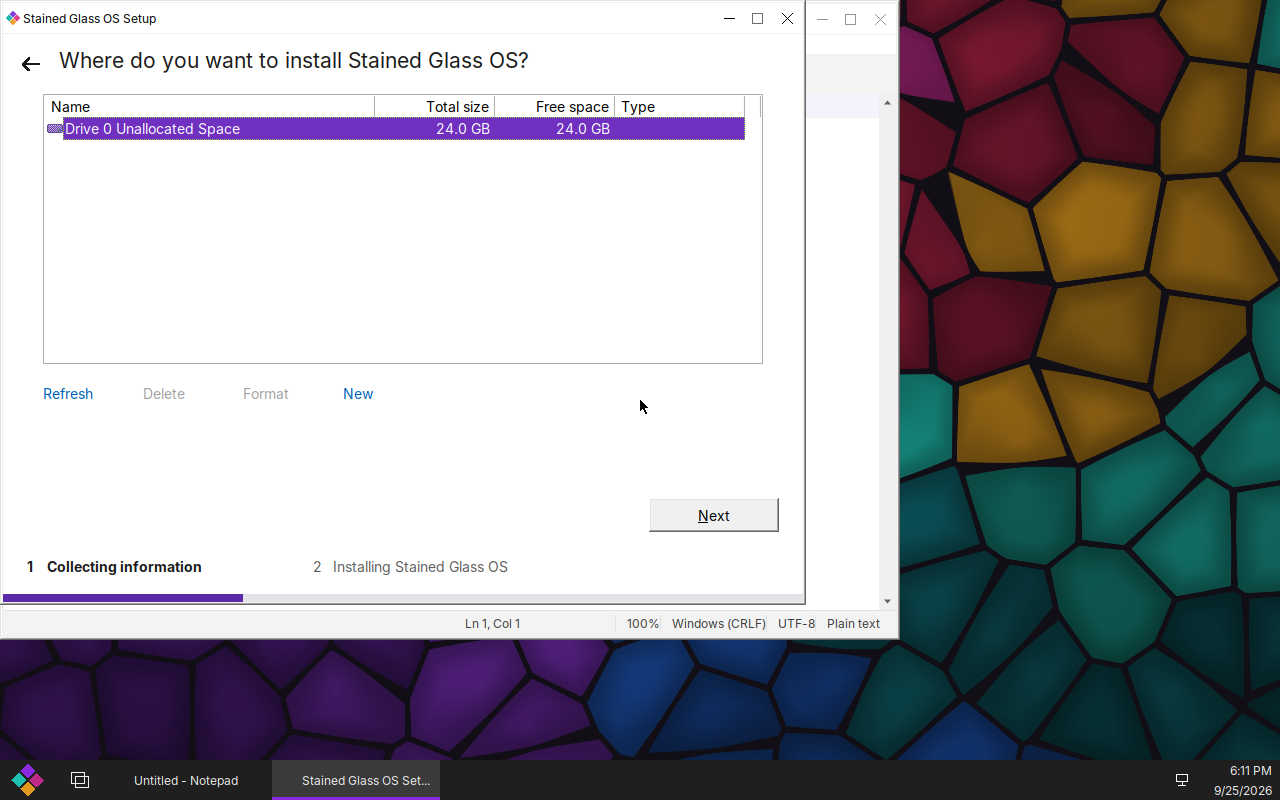
- Setup appears. Choose Try Stained Glass OS to use it without changing the computer, or Install now to install it: pick or create a partition (it can go beside Windows), then name the computer and create your account.
Nothing on the computer changes until you run Setup's install.
Package repository
Installed systems update from our signed apt repository at freesoft.page/apt. To add it to a Debian 13 (trixie) machine by hand:
curl -fsSL https://freesoft.page/apt/stained-glass-archive-keyring.gpg \
  | sudo tee /usr/share/keyrings/stained-glass-archive-keyring.gpg >/dev/null
sudo tee /etc/apt/sources.list.d/stained-glass.sources <<EOF
Types: deb
URIs: https://freesoft.page/apt
Suites: trixie
Components: main
Signed-By: /usr/share/keyrings/stained-glass-archive-keyring.gpg
EOF
sudo apt update
Status
Stained Glass OS is in active development and not yet ready for everyday use. What works and what is left is tracked in What's left; the app inventory is in Default apps, and the design is in the project brief and the architecture decisions.
Source
Every piece is on GitHub under Stained-Glass-OS:
wine-sg (Wine and our patches), sg-shell (Start menu, Control Panel, Settings, apps),
sg-session (sessions, sign-in, installer, system services), sg-compositor (the display
server), sg-image (the image, ISO and test gates) and stained-glass (docs and decisions).